Archives
These settings apply for blog (posts page) and archives page (categories, tags, author)
- Enable Popular Posts page: Display a select box in Blog Page to switch between Latest Posts and Popular Posts page
- Popular Posts template: Choose the Popular Posts page. This page should use Popular Posts template.
- Layout: Select bog layout, see Post Layout
- Related Posts – Select: Get Related Posts by Categories or Tags
- Related Posts – Order By: Order related posts randomly or by date
- Related Posts – Integrate YARPP Plugin: Enabling this will allow you to use YARPP (Yet Another Related Posts Plugin) in Archive Layout 1 & 2. YARPP must be installed first
- Sidebar: Select position of sidebar
- Right Sidebar: Archives pages with the right sidebar (default)
- Left Sidebar: Archives pages with the left sidebar
- Hidden sidebar: Archives pages without sidebar (full-width)
For example, figure below is an Author page with Right Sidebar
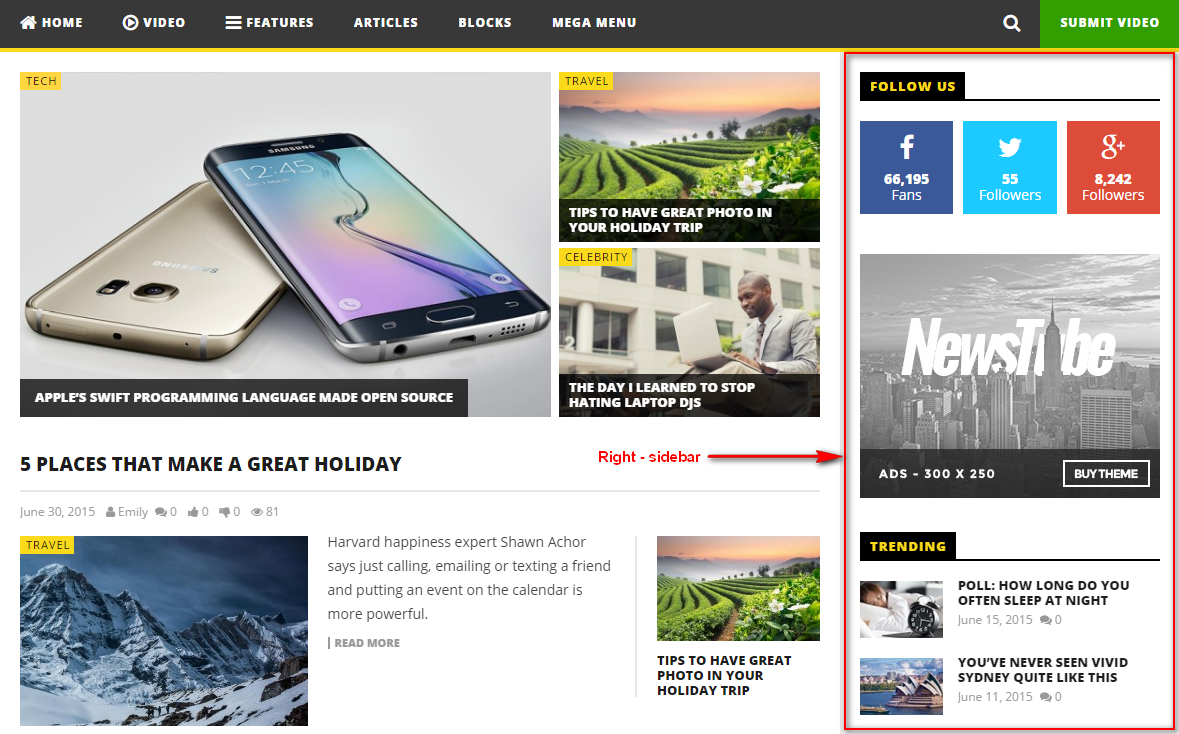
- Page Navigation: Choose type of pagination for all archives pages. There are three options: Default WordPress, Ajax, and WP PageNavi. If you choose WP PageNavi, make sure you have installed WP PageNavi plugin in advance
- Default WordPress

- Ajax

- WP PageNavi

- Default WordPress